SetUp GitLab
This guide, will show how to enable Amber to index/access the data on GitLab platform.
As Admin user, click Admin button next to the user profile icon. This will open admin interface.
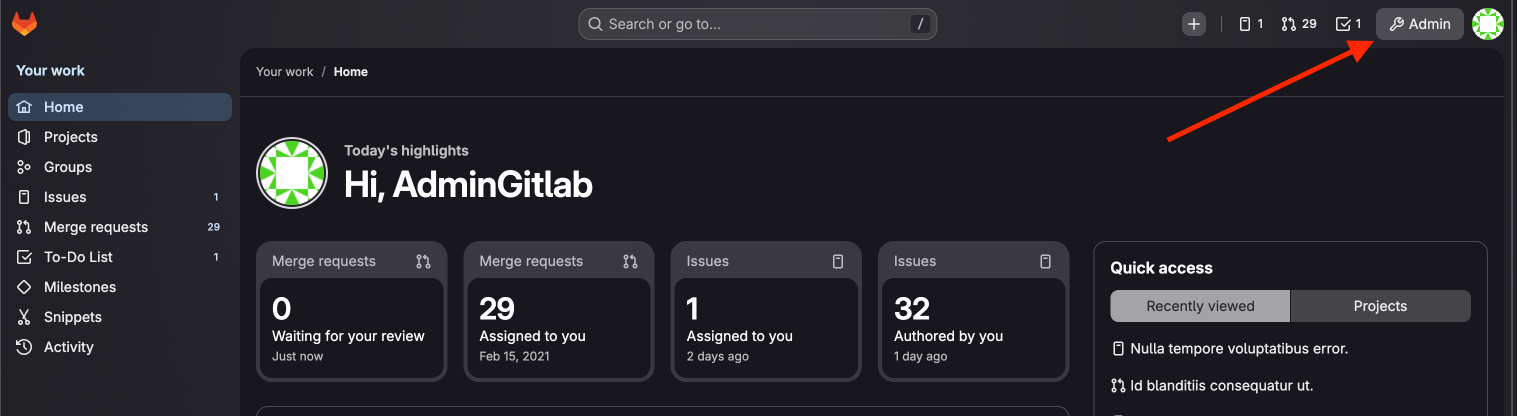
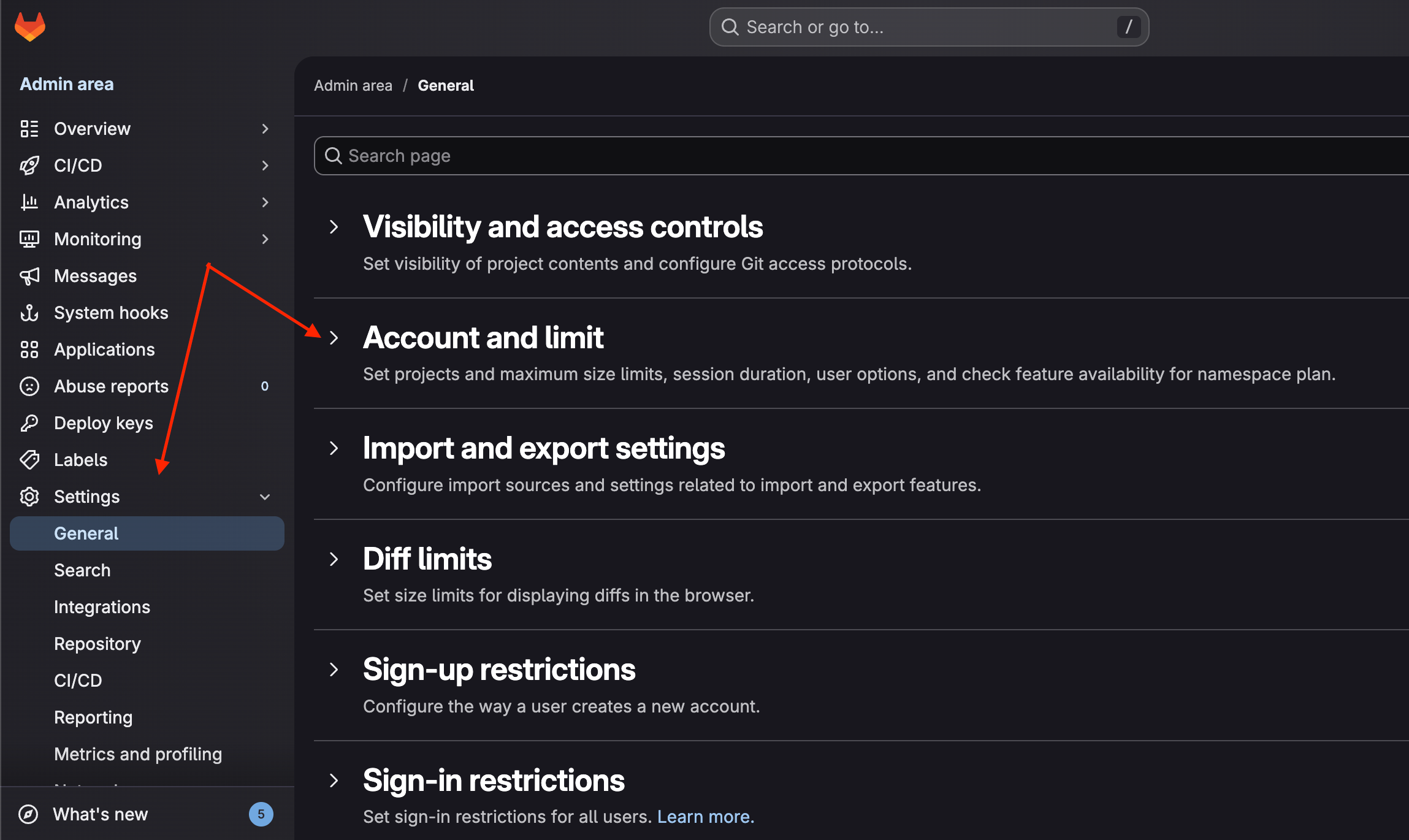
On the sidebar to the left, proceed to Settings → General. In the list that appears, go to Account and limit.
There find User OAuth applications and OAuth authorizations options. This will enable the creation of OAuth application and the possibility to login with OAuth.
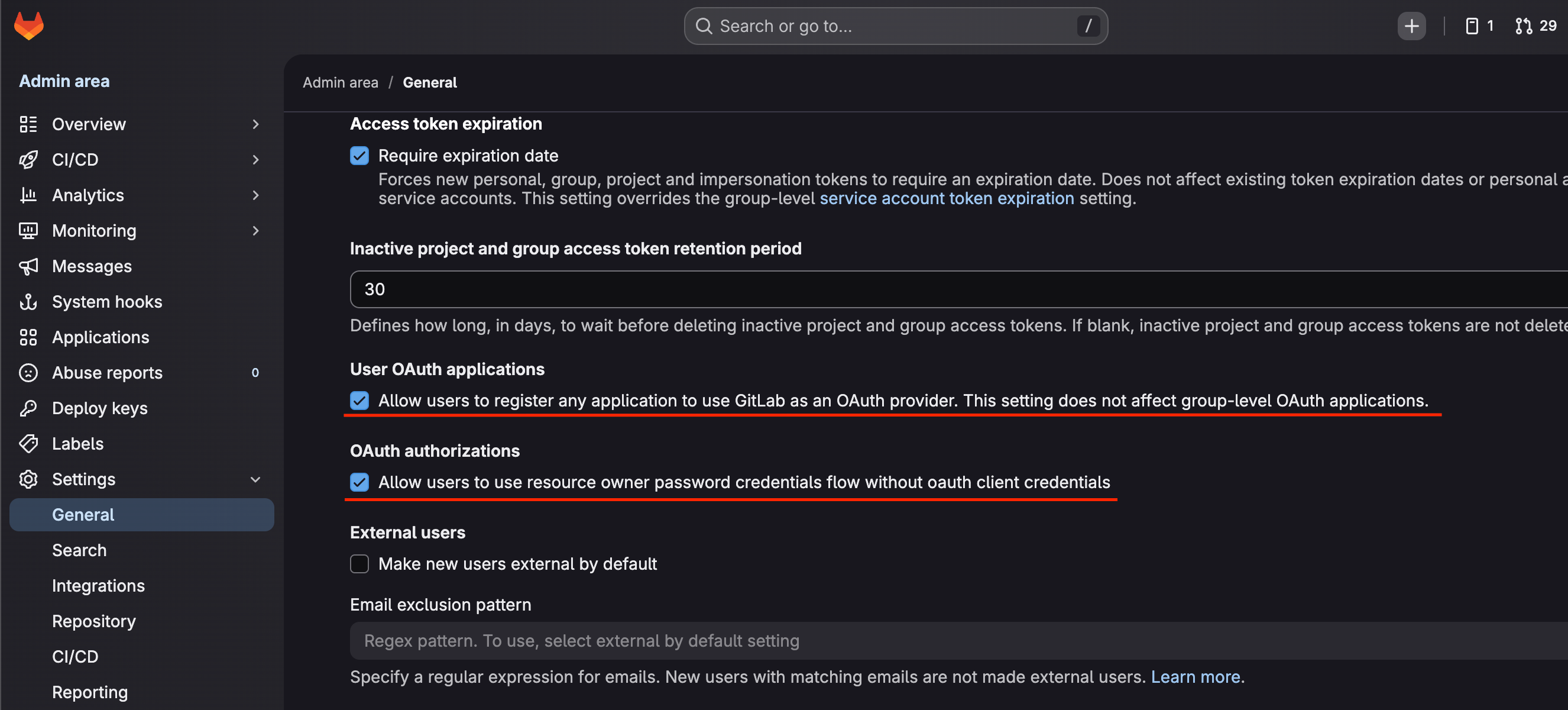
Now that OAuth applications are enabled, we need to create one.
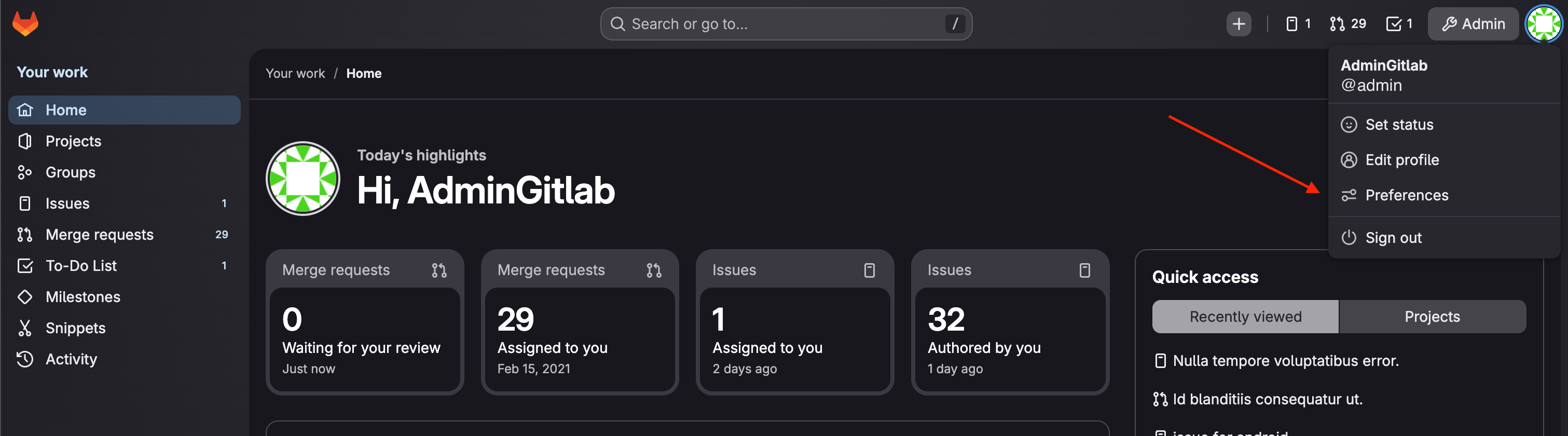
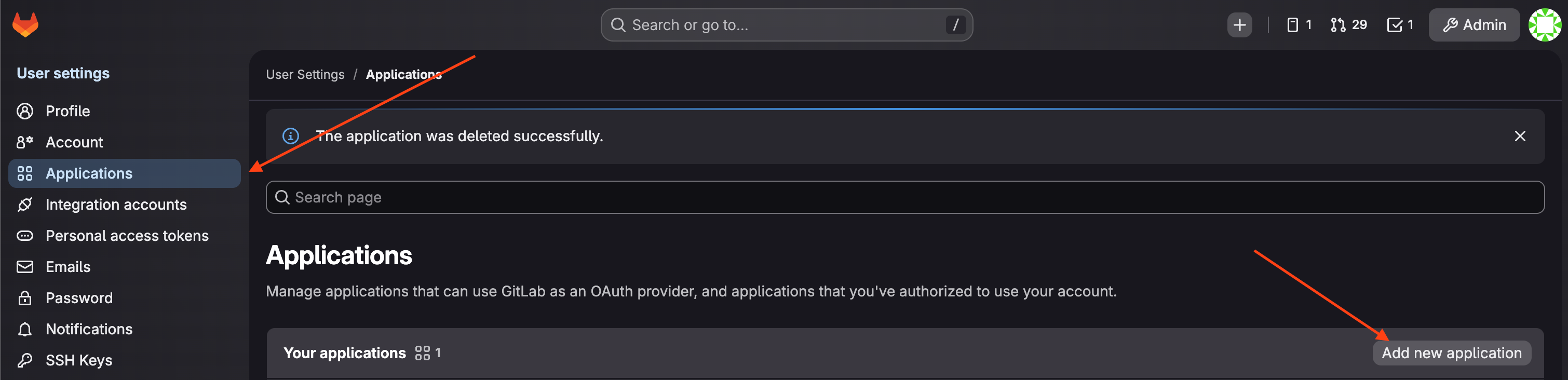
As Admin user, click on user profile icon on top right, then go to left sidebar Preferences → Applications.
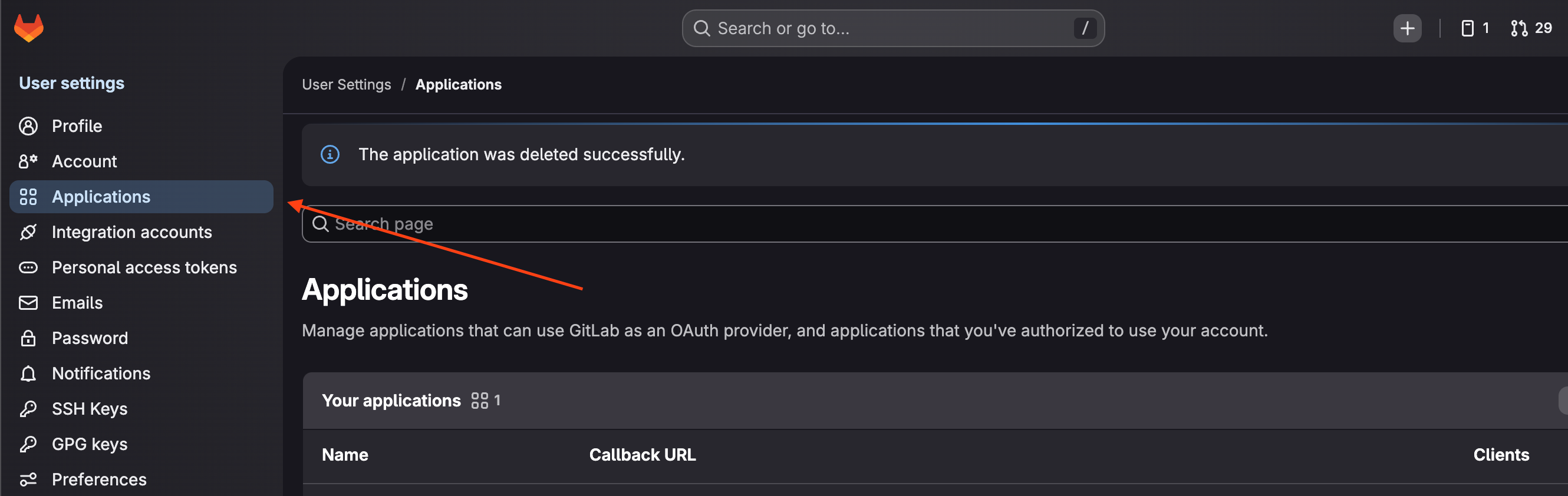
Click Add new application.
On the form:
Give this app a meaningful name.
Add redirect URL (replace customerName.ambersearch.de with current URI):
Mark it Confidential, because Amber stores the secret securely on the server.
Scopes: mark only openid option
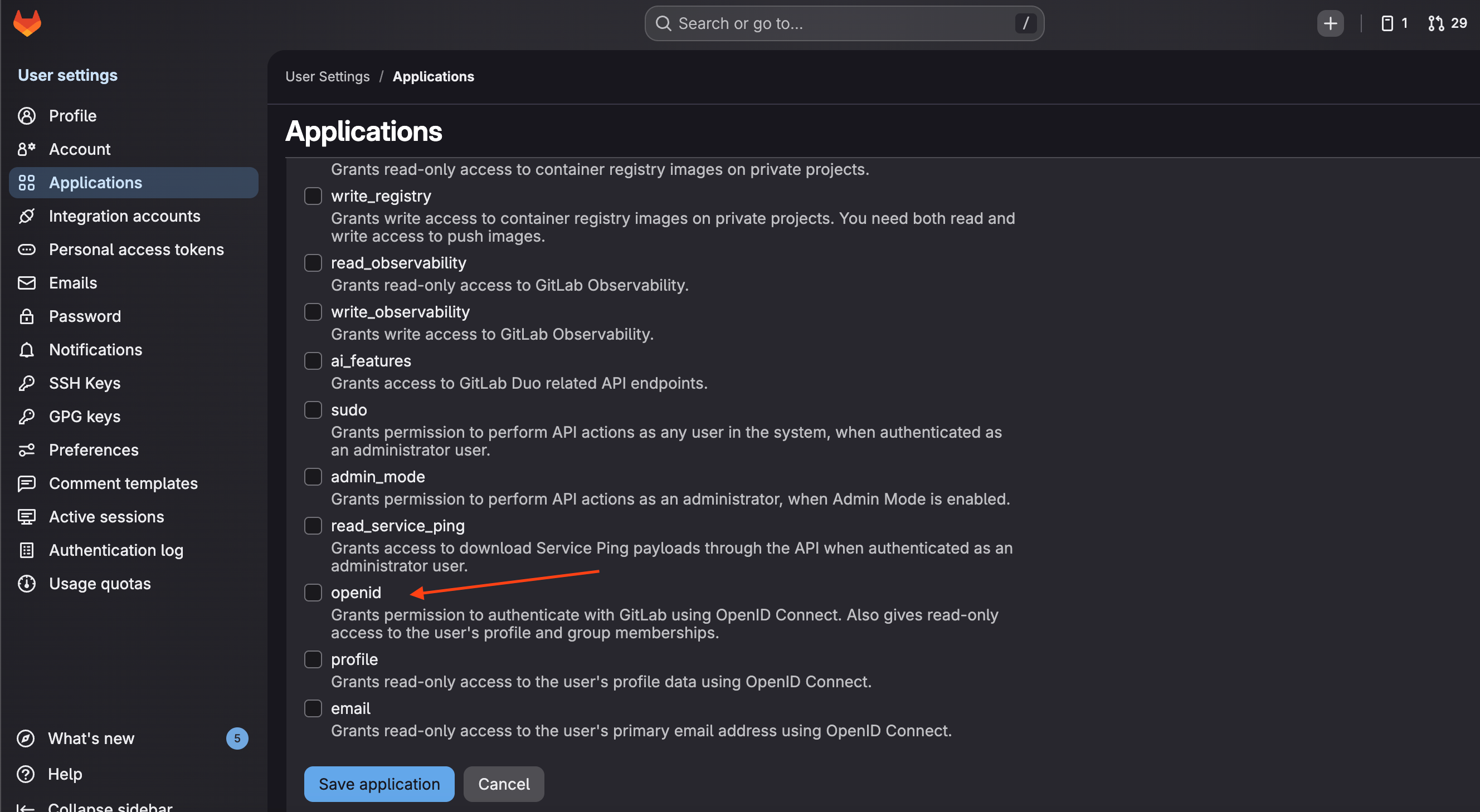
Click Save Application
Copy Application ID and Secret and send them to the Amber team.
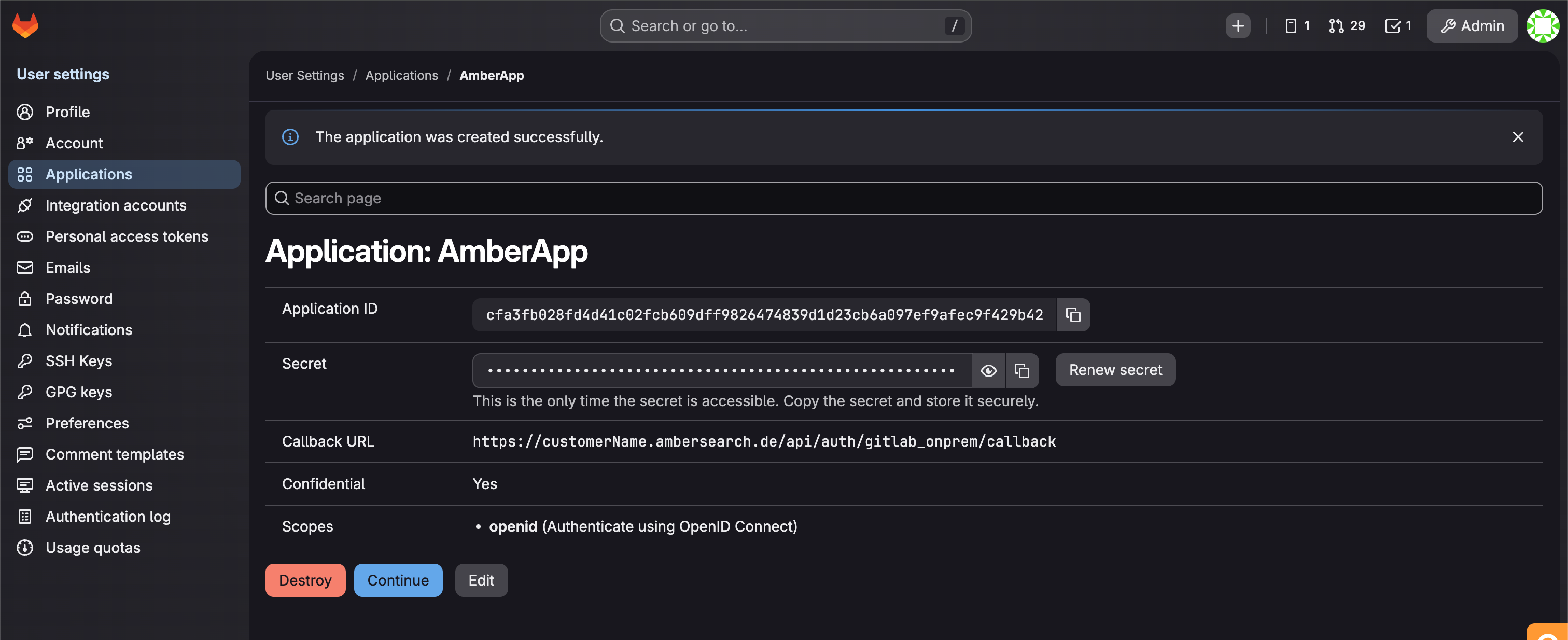
Now we are able to login to GitLab instance with OAuth.
Next step is to generate a PAT (Personal Access Token). This token will be used to index platform data.
This token should be generated by a user account that has Developer level access (at least Reporter) in each project, and is member of respective groups.
(Or admin account, since admin accounts have access everywhere)
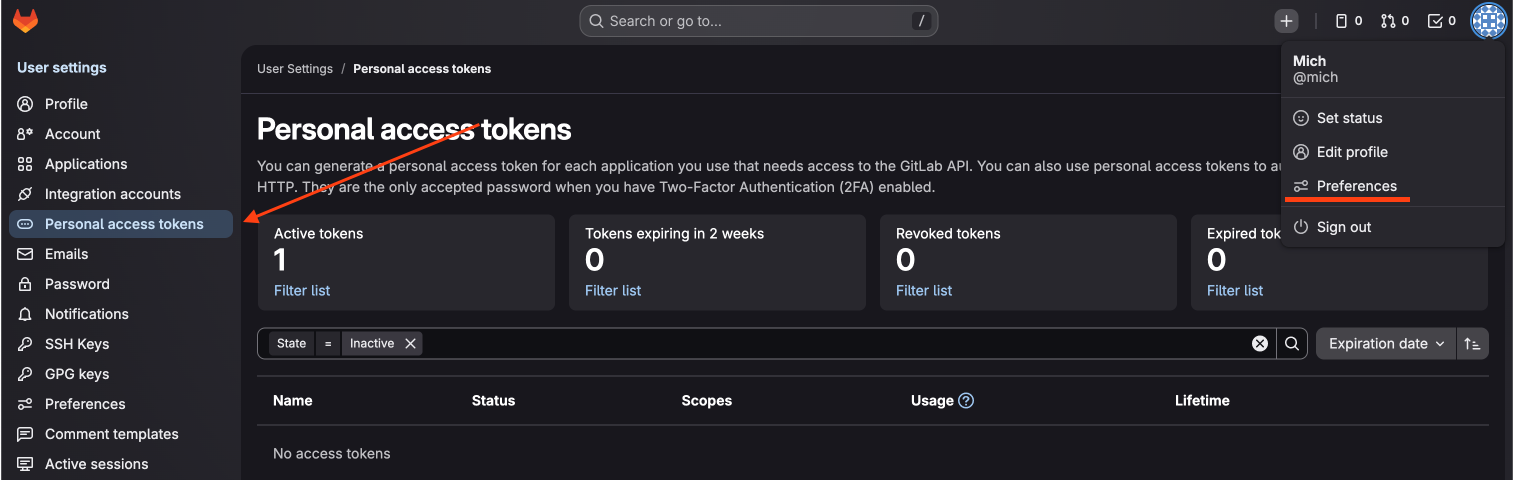
With this account, click on user profile icon on top right, Preferences, then go to left sidebar Personal access tokens.
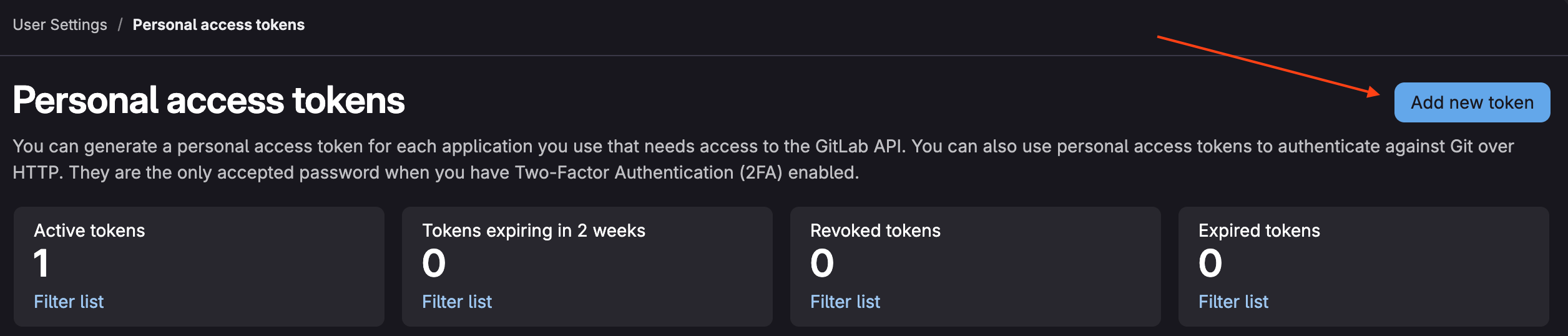
Click on Add new token.
On the form:
Give this token a meaningful name
Give this token a description (optional)
Expiration date is one month from the date of creation. Update it to at least one year.
Scopes: mark read_api
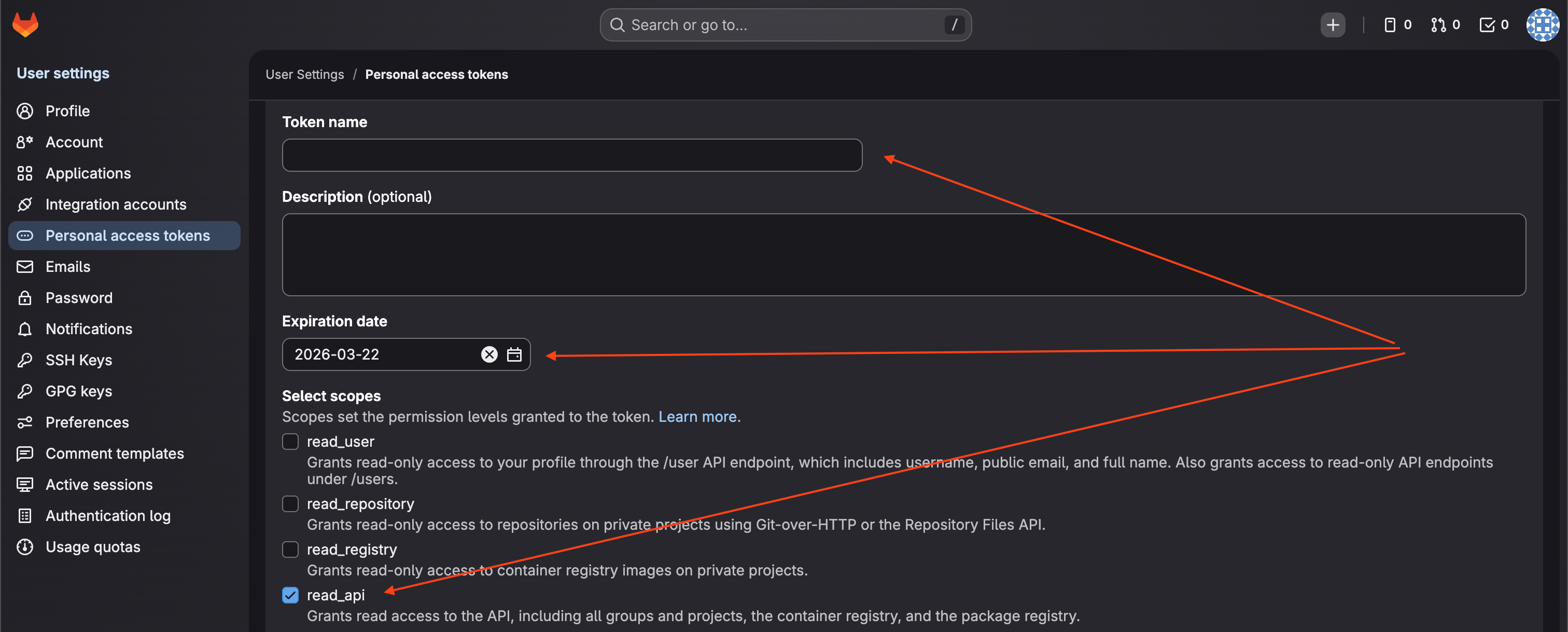
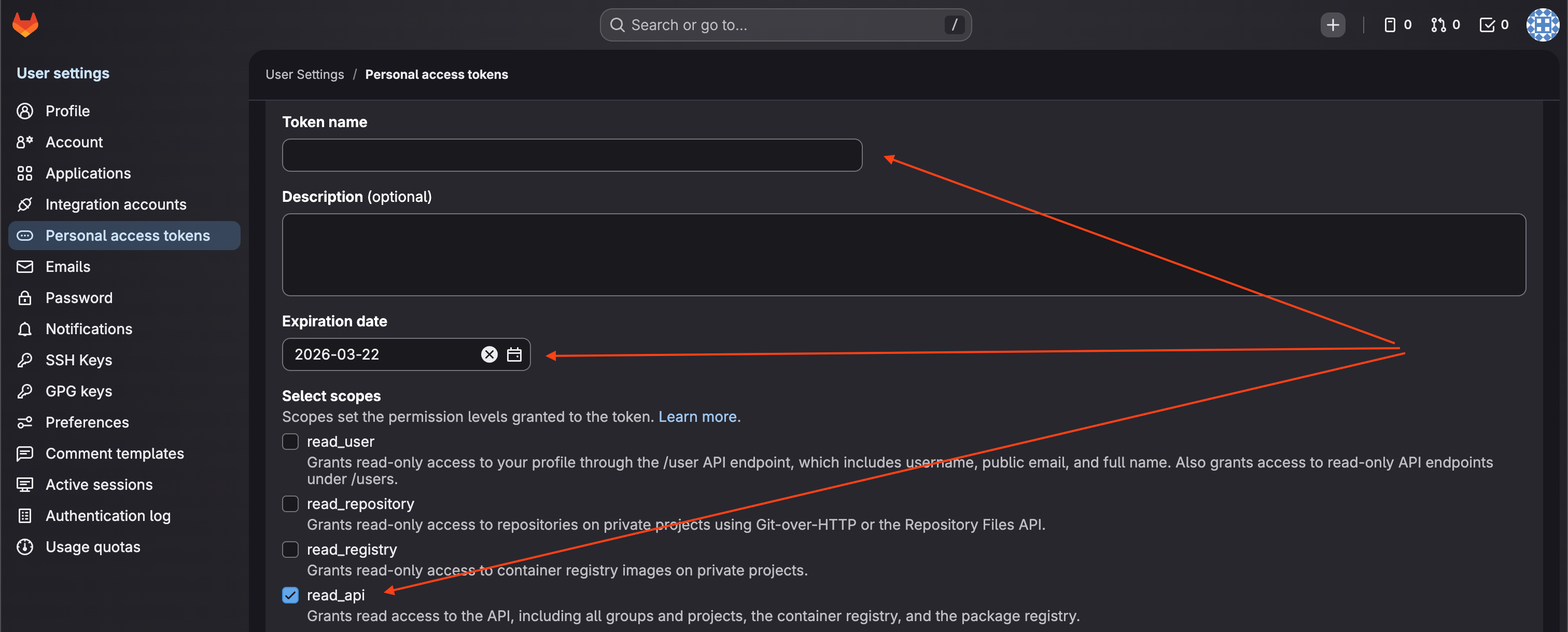
This gives the access token only read rights.
Click Generate token
Careful! At this moment, Token will be displayed at the top as password field. This will be the only time to copy it and send it to the Amber team, otherwise you have to create a new one.
Share Credentials
These data should be send to amber team:
Base URI of gitlab host
OAuth app client_id
OAuth app client_secret
PAT (Personal Access Token)
At this point, everything is configured and ready to be processed by Amber!