Outlook MCP / App in amberAI for Users

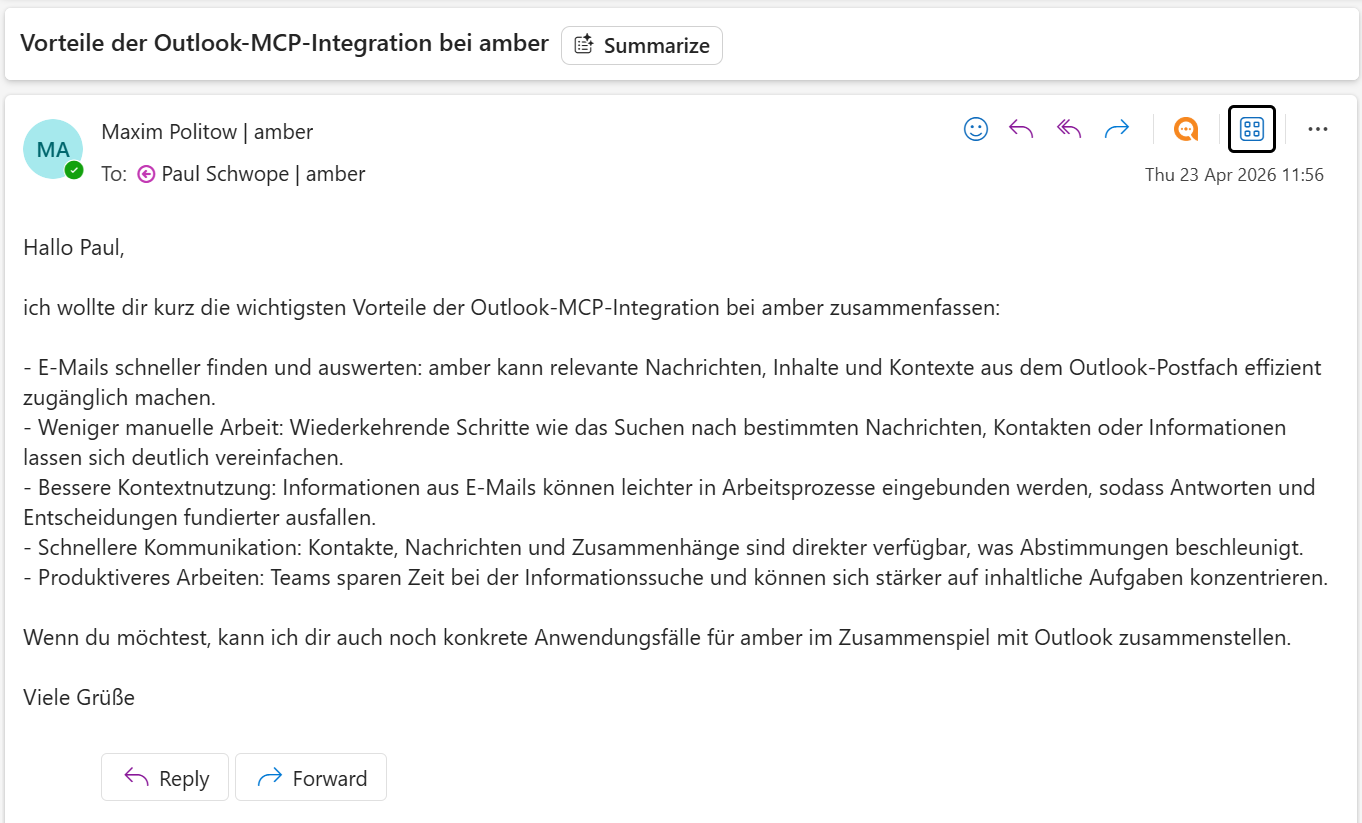
With the Outlook MCP, amber can now help users send emails directly from chat. Instead of only drafting text, amber can perform the email-sending action through Outlook when the capability is available.
What this means
The Outlook MCP connects amber with Microsoft Outlook so amber can act on user instructions inside that environment. According to the Spring Update, this expands amber from answering questions to carrying out actions in connected systems, including sending emails.
What users can do
Users can ask amber to:
write an email
send an email via Outlook
adjust the tone or wording before sending
work with amber directly in Outlook
One example explicitly described in the product update is telling amber to send an email and having that action executed directly.
Confirmation before sending
Before the final email is sent, amber will ask the user to confirm the action.
This confirmation step applies to the send action itself. A typical flow looks like this:
The user tells amber what email to send.
amber drafts or reformulates the message.
amber prepares the send action in Outlook.
The user is asked to actively confirm that the email should be sent.
amber sends the email through Outlook.
This article covers the email send workflow. Other Outlook actions may depend on the workspace setup and are not part of this article.

Example prompts
Users can try prompts like:
“Send an email to Paul saying that today is a nice day in German.”
“Write an email to Maria, make it more formal, and send it.”
“Draft a short follow-up email for a customer and send it through Outlook.”
“Rewrite this email in a friendlier tone and send it.”
Tip: Make sure Outlook MCP is connected and enabled
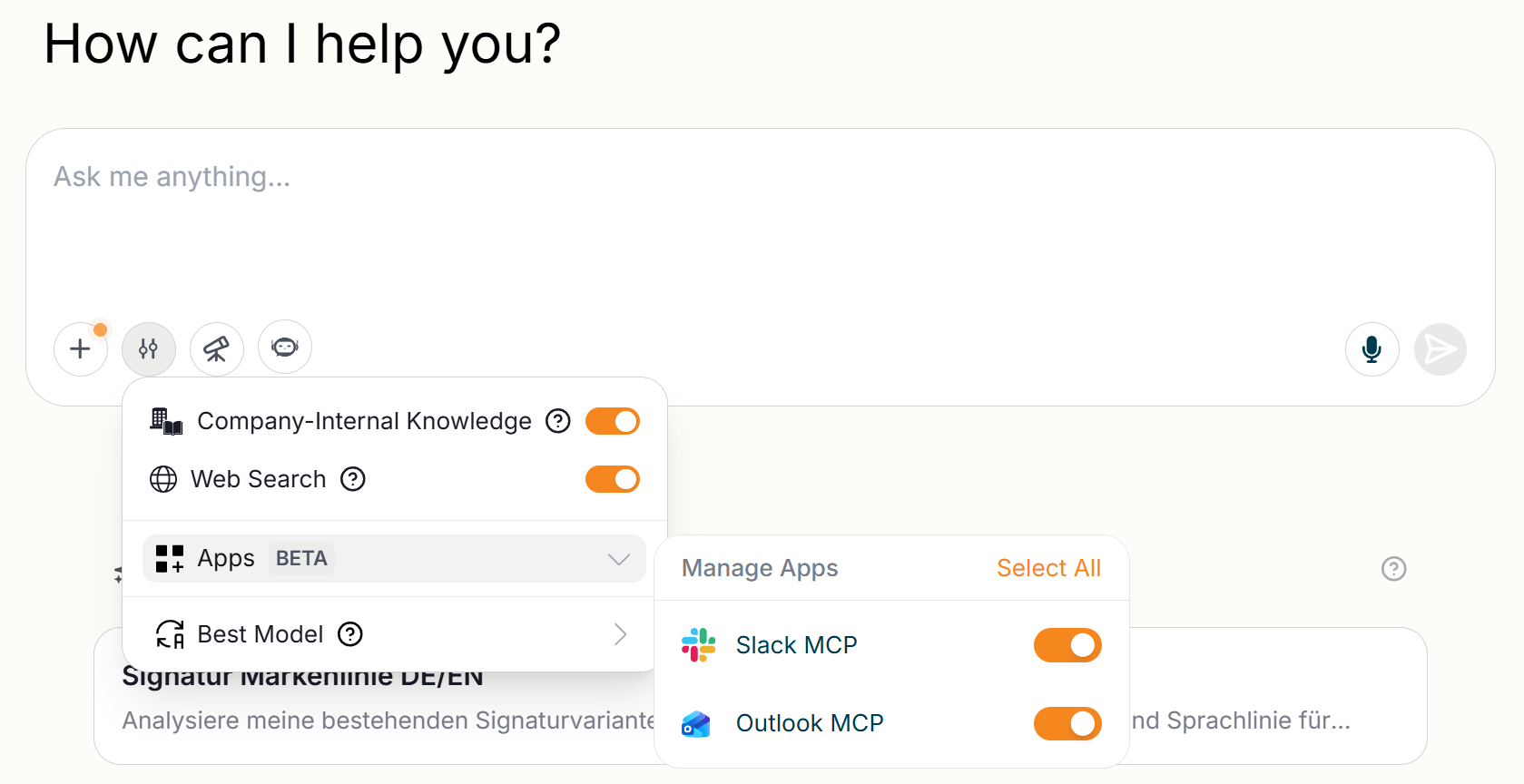
To use Outlook MCP in amber, make sure it is both connected and enabled.
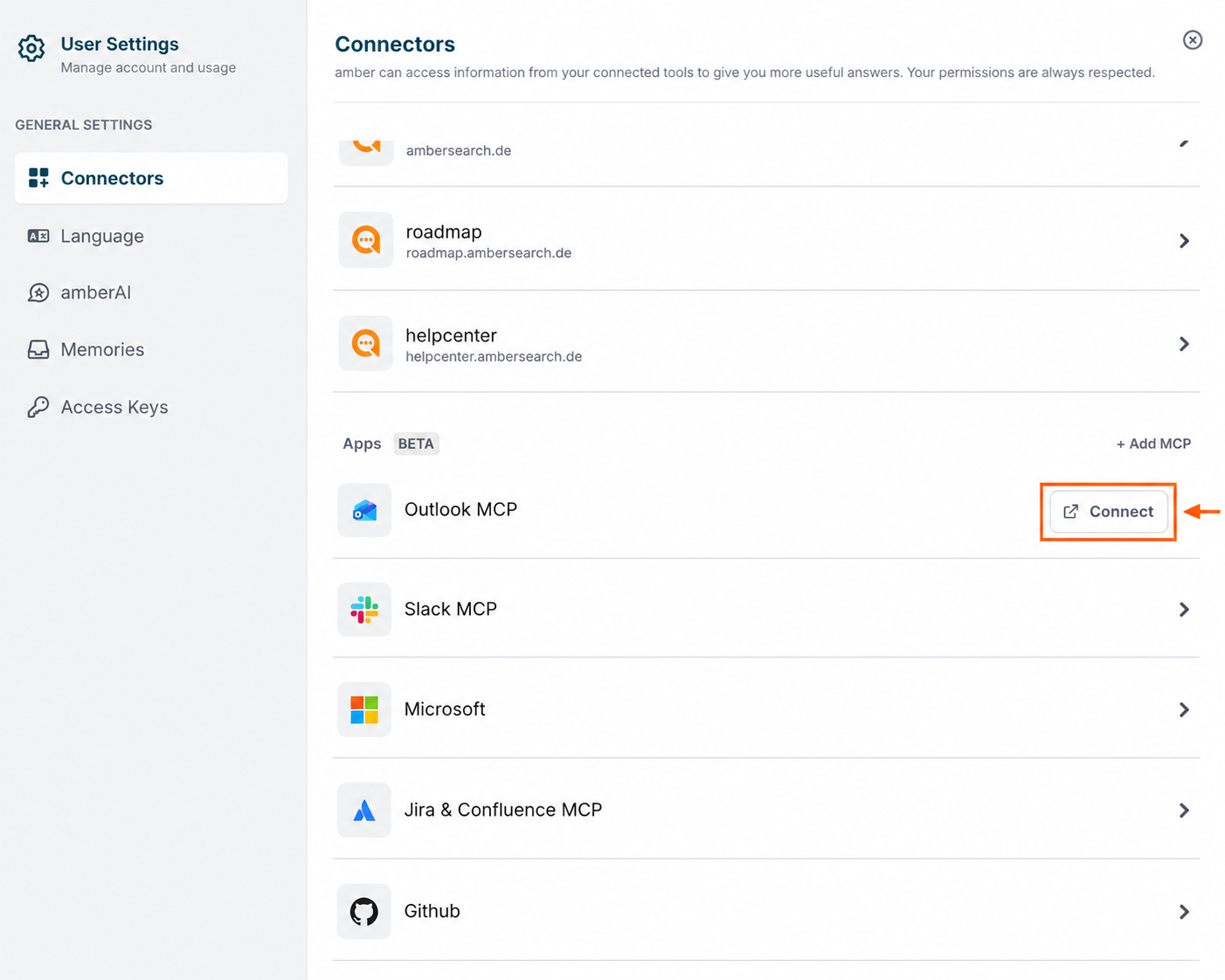
1. Connect Outlook MCP
Click the Connectors button in the bottom-left corner of your amber screen. Alternatively, you can open User Settings and connect it there. In the Connectors section, find Outlook MCP and click Connect.
2. Enable Outlook MCP
In amber chat, open the Apps menu and turn on Outlook MCP.
Administration and control
Admins manage MCPs centrally. This allows organizations to control which integrations are available to users and how connected actions are governed.
Availability
The Outlook MCP is currently available as a Beta feature. This means the integration is already usable, but some parts may still be limited, refined, or changed over time as the feature continues to improve.